
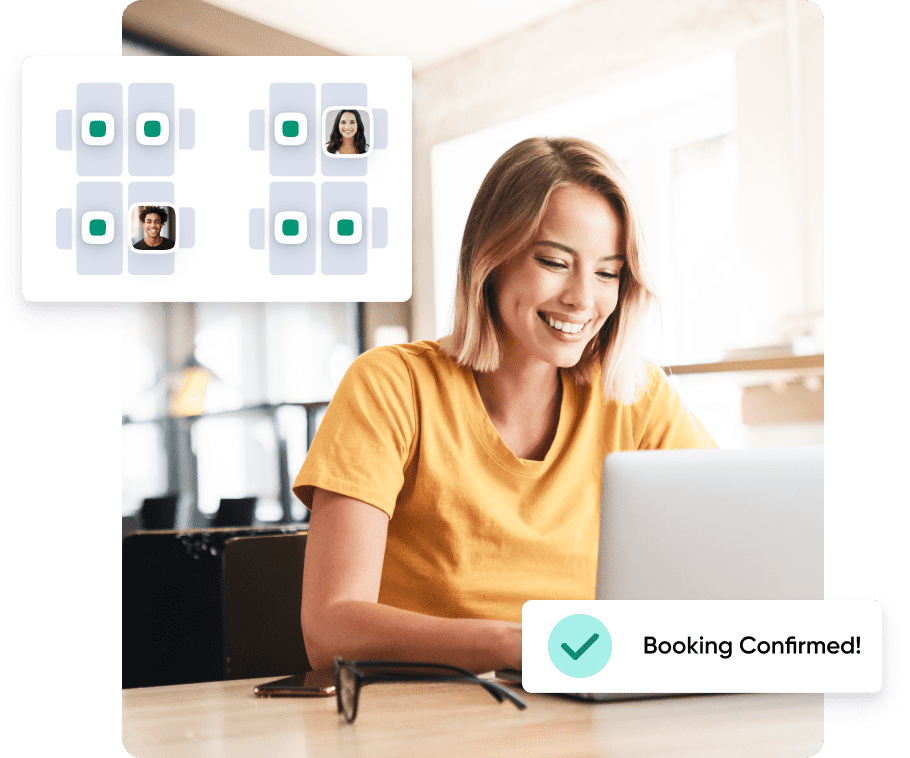
Book Desk on Interactive Office Map
Navigate easily through the hybrid workplace on a visual floor plan in any office available around the world.
- Find the right space for work with office map filters
- Create recurring, conflict-free bookings for your favorite desk
- Book for the entire day or only for the time you need
- Book in bulk up to 25 desks at a time


Create Areas for Different Teams or Functions
Build neighborhoods to organize your workplace and help teams collaborate and connect onsite. Create zones in your office with custom size, booking policies, and amenities available. You can create neighborhoods:
- For different teams within the company
- For colleagues with similar functions like design, HR, etc.
- For specific projects or initiatives
- For diverse activities such as a quiet zone, a chill area, and others
- and more…

Assign Dedicated Desks
Offer a layer of flexibility for those who need their own space or specific workplace setup. Dedicated desks are the way to mark private offices or assigned seats in the virtual hybrid workplace. People with dedicated desks have:
- Their own hybrid schedule
- Custom booking policies
- The ability to check-in
Comply with Privacy & Security Preferences
Make sure the solution you choose is answering all your organization’s preferences and requirements in the fields of privacy and security. OfficeRnD is ISO 27001 and GDPR certified and SOC 2 compliant organization. We provide:
- SSO authentication
- SCIM user provisioning
- Option to create private bookings
- Individual setup of default booking privacy
“Making recurring bookings for individual desks and meeting rooms is easy. Setting up whether staff members get reminders to check-in is also flexible.”
Hospital & Healthcare
G2 Review Available Anytime, Accessible from Anywhere
Open the office map or quickly book from any screen or platform – mobile, web or directly within our integrations with Teams, Outlook, Slack or Chrome Extension for Google Calendar. Everyone can enjoy an equally seamless, automatically synced experience.

We Are a Leader on G2
We’re thrilled to be awarded the Leader badges for Desk Booking, Meeting Room Booking Systems, Space Management and Hybrid Enablement.

“We looked at 2 other systems and this was by far the best functionality and value. It covers everything we need and is easy to find where everyone is siting.”
 Richard Theakston
 Ready to Take the Next Step?
- Easy to use
- Rich with data
- Partner in growth
Frequently Asked Questions
What does desk booking software cost, and what ROI can I expect?
Pricing usually follows a per-desk, per-user, or per-location subscription model. The real ROI comes from real estate savings, tracking utilization lets companies downsize underused space, often paying for the software many times over. For reference, OfficeRnD Workplace starts around $99/month for up to 150 users.
What's the difference between hot desking, desk hoteling, and dedicated desks?
These are three ways a company can structure its workspace. Hot desking lets any employee book any available desk on a first-come, first-served or reservation basis. Desk hoteling is similar but usually involves more structured, advance booking for specific desks. Dedicated desks, on the other hand, are assigned to one person, useful for employees who need a consistent setup, their own schedule, or custom booking policies. Good desk booking software supports all three models so a company can mix and match based on team needs.
How does desk booking software help with hybrid work?
Hybrid teams don't come into the office on a fixed schedule, which makes traditional fixed-seating impractical. Desk booking software solves this by letting employees reserve a desk only on the days they're actually in, reducing wasted space, giving managers real utilization data, and making it easy to see who's in the office on any given day. It also supports "neighborhoods" or zones, so teams, departments, or project groups can sit together even without permanent desks.
Can such software integrate with tools we already use, like Outlook or Slack?
Yes, this is one of the biggest usability factors. The best systems, including OfficeRnD Workplace let employees book a desk directly from the platforms they already work in, such as Microsoft Teams, Outlook, Slack, or Google Calendar (often via a Chrome extension), in addition to a dedicated mobile or web app. This removes friction, since people don't need to learn or open a separate tool just to reserve a seat
How do I choose the best desk booking software for my company?
Start by mapping your booking needs (hot desking vs. dedicated desks vs. a mix), then check for cross-platform access, integrations with your existing calendar and messaging tools, and strong analytics. Security certifications and ease of use for both employees and admins matter just as much as the feature list. If you want a full breakdown of top providers and how they compare, this guide to the best desk booking software is a good place to start.
Is OfficeRnD's hot desk booking software secure and privacy compliant?
Yes, OfficeRnD Workplace is ISO 27001 and GDPR certified and SOC 2 compliant. The platform supports SSO authentication, SCIM user provisioning, private bookings, and individual setup of default booking privacy to meet various organizational security requirements.
What features should I look for in a desk booking system?
Beyond the basics of reserving a seat, look for: interactive floor plan maps, support for recurring and conflict-free bookings, bulk booking (useful for teams booking multiple desks at once), zone/neighborhood creation, multi-platform access, and, importantly - workplace utilization analytics. That last one matters most for long-term decision-making, since it shows which desks and days are actually being used, helping you right-size your office footprint and cut unnecessary costs.