The Huddle Room: What It Is, Its Benefits, And Setup Tips [2026]

8 mins read Published: Jun 26, 2024 Last updated: Jul 31, 2026
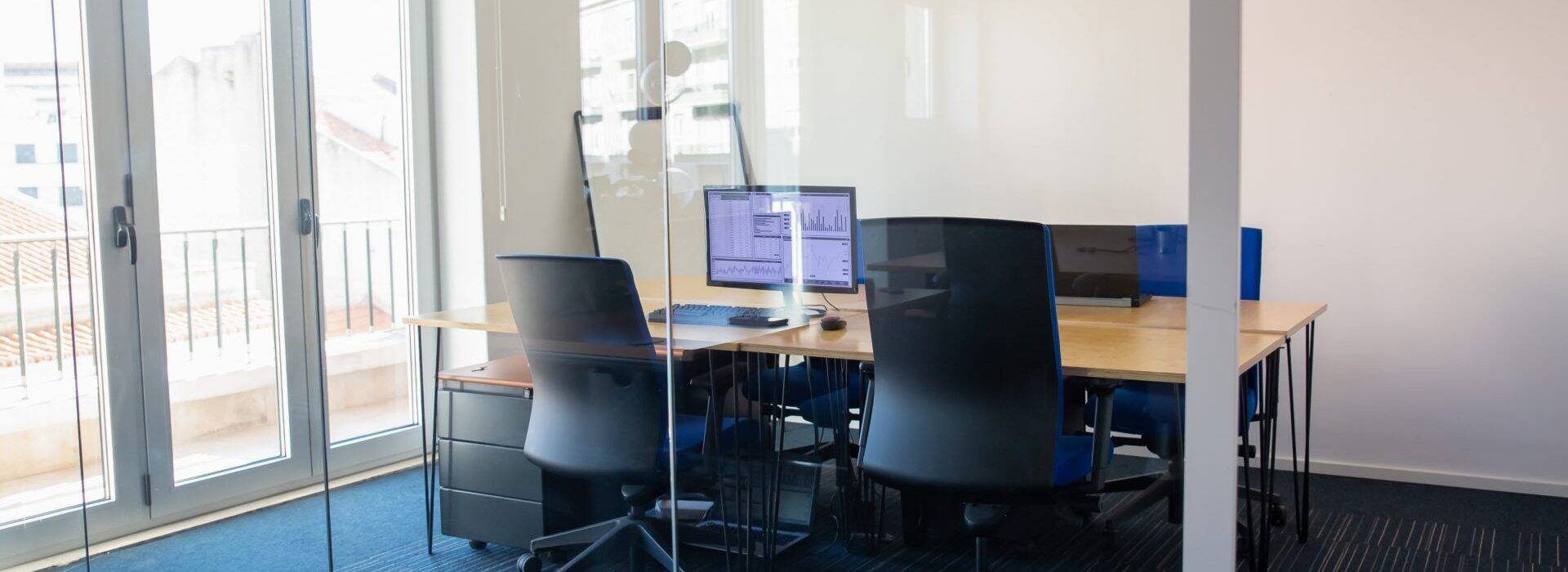
Huddle rooms are the small meeting spaces that fill the gap between an open desk and a full conference room. They’ve become a standard part of office design because most meetings are small, and booking an eight-person boardroom for a 20-minute sync with two colleagues wastes space and money.
This guide covers what a huddle room is, why it earns its footprint, the four common types, and how to set one up so people actually use it.

Quick Summary
A huddle room is a small meeting space designed for quick, informal collaboration among 2 to 6 people. Most run 100 to 150 square feet, though the size varies with the office.

A typical huddle space has comfortable chairs, a small table, and some decor, such as plants. It also holds the hardware and software that facilitate collaboration, such as a display, a camera, and audio equipment, plus some soundproofing. Many rooms use all-in-one video bars so a laptop connects to the room’s camera, mic, and speaker without cables.
The name comes from the sports huddle: a few people grouping up quickly to align and move on. That’s the point of the room. It’s a fuss-free alternative to booking a large conference room with a formal agenda.
You can hold meetings in a conference room or at someone’s desk, so why dedicate space to a huddle room? A few reasons.
Privacy is one of the main draws. A huddle room gives an enclosed spot where people can talk through something confidential, or just concentrate, without the noise of an open-plan floor. Face-to-face collaboration at a desk distracts everyone nearby; a huddle room ends that problem.
Huddle rooms fit hybrid, one-on-one, virtual, and stand-up meetings, plus demonstrations and brainstorming sessions. They also work for conference calls and interviews.
Huddle spaces are fitted with display screens, audio devices, content-sharing software, and cameras that connect in-office people with remote teammates. Camera and microphone quality matters here: Stanford research cited by Kramer found participants were significantly more likely to multitask when the video was off, so a huddle room needs strong audio and video, not just a screen.
The result is real collaboration regardless of where people join from.
Five perks stand out.
Huddle spaces need less square footage than a regular conference room, and you can set one up in underused space. Allocate a corner of an open floor, or repurpose a meeting room that sits half-empty.
The math backs this up. CoworkingCafe reports that boardrooms built for 17 or more people log utilization rates of just 12%, while the bulk of demand lands in the six-or-fewer bracket. Space sized for the meetings you actually run costs less to build and run.
Huddle rooms don’t demand much equipment either: furniture, a display, audio, and a solid internet connection.
One huddle room covers a lot of ground: team syncs, conference calls, virtual meetings, webinars, interviews, one-on-ones, and project discussions.
Productive meetings need privacy. Huddle rooms give employees a space away from the main floor for confidential conversations.
In a smaller room, everyone is closer and everyone gets to speak. There’s no back of the room. These spaces also carry the technology that makes virtual and in-person meetings work.
Meetings in the wrong place tend to drift. A designated huddle room holds attention better than the same conversation in a busy open-plan area.
Huddle rooms vary mainly by how much technology they hold. Four common types:
Minimalist rooms are carved out of an existing space. They hold very few items: a few chairs, a small table, and sometimes microphones and speakers.
People often use personal devices or collaboration apps to launch a video call in a minimalist huddle room.
Basic rooms are built into the main office space. They’re more formal and carry more technology than minimalist spaces: usually a speaker, a microphone, a display, and a collaboration app for content sharing.
Mid-level rooms add more tech and furniture. Expect LED displays, speaker tables, video conferencing cameras, and reliable connectivity. Many also let people stream content from personal devices.
High-end rooms hold so many tools they resemble mini boardrooms, with wall-mounted digital displays and full video conferencing systems.
A good huddle room experience takes a bit of planning. Six things that help.
Put huddle rooms where employees can reach them easily. Placing them at the edge of an open floor gives both access and privacy. Give people clear guidelines on how and when to use these spaces.
Meeting spaces have grown more casual, and your huddle room should reflect that. Design and furnish it so it’s comfortable to use. Employee surveys are a good way to find out what furniture and amenities people actually want.
Don’t forget to name them properly, too.
Noise hurts productivity. It can also lead to a decrease in physiological well-being.
Soundproof your huddle spaces to block office noise so teams stay focused during meetings.
Strong connectivity keeps in-office and remote participants in sync, wherever they are, and makes sharing files painless. A dropped call in a huddle room is the fastest way to send people back to their desks.
Small doesn’t mean cramped. Give people enough room to move without squeezing past furniture or each other. Around 100 square feet fits a small round table and four chairs comfortably, with a wall-mounted monitor.
Also make sure the room has adequate lighting and ventilation.
Add the following hybrid meeting equipment to your huddle room:
Huddle rooms only pay off if people can find and book them without friction, and if you can see which rooms get used. That takes the right software.
OfficeRnD Workplace is workplace management software that lets employees book desks and meeting rooms from an interactive office map, on web, mobile, Microsoft Teams, Outlook, Slack, or a Google Calendar extension.
With OfficeRnD Workplace you can:
The utilization data matters most for huddle rooms. It shows whether your small rooms are overbooked while a boardroom sits empty, so you can adjust the mix before spending on more space.
Want to take a look? Click here to start for free with OfficeRnD Workplace.
A huddle room is a small, often enclosed space for quick, informal meetings or private work sessions. It fits a small group, usually 2 to 6 people, and is equipped with video conferencing and content sharing. The setup suits short discussions, one-on-ones, and focused solo work without the need for a full conference room.
It gives a quiet, private space for small meetings, ideal for confidential conversations or work that needs focus. Because most meetings are small, huddle rooms handle the majority of an office’s day-to-day collaboration.
Size and formality. Conference rooms are larger, seat more people, and suit scheduled meetings with agendas. Huddle rooms are smaller, more casual, and built for spontaneous or short sessions.
Most huddle rooms run 100 to 150 square feet, enough for a small table, a few chairs, and a wall-mounted display. A room around 10 by 10 feet works well for four people.
It depends on your meeting volume rather than headcount. As a starting point, huddle rooms and small conference rooms should make up the majority of your room mix, since most meetings involve six people or fewer. Track how your rooms are actually used, then adjust.
At minimum: a display, a camera, a microphone, a speaker, wireless content sharing, and reliable internet. An all-in-one video bar covers the camera, mic, and speaker in one device and keeps the room clutter-free.


![14 Best Space Management Software Tested and Compared [2026]](data:image/svg+xml;base64,PHN2ZyB2aWV3Qm94PSIwIDAgMTE1MiA3MTkiIHdpZHRoPSIxMTUyIiBoZWlnaHQ9IjcxOSIgeG1sbnM9Imh0dHA6Ly93d3cudzMub3JnLzIwMDAvc3ZnIj48L3N2Zz4=)
The best space management software in 2026 is OfficeRnD Workplace. This is a complete buyer's guide.

The average flex operator connects 1.65 of 5 core systems. See what the gap costs and how to fix it.
A 2-site coworking operator shares how OfficeRnD's AI Sales Agent handles inquiries.
A full year of hybrid work data, taken from our own Workplace product analytics.
OfficeRnD Flex vs Nexudus on pricing, features, and real G2 reviews.
OfficeRnD Workplace vs Robin, full comparison: pricing, adoption, coordination and fit