OfficeRnD Workplace vs Yarooms: An Honest Comparison for Hybrid Teams (2026)

11 mins read Published: Jun 19, 2026 Last updated: Oct 5, 2026
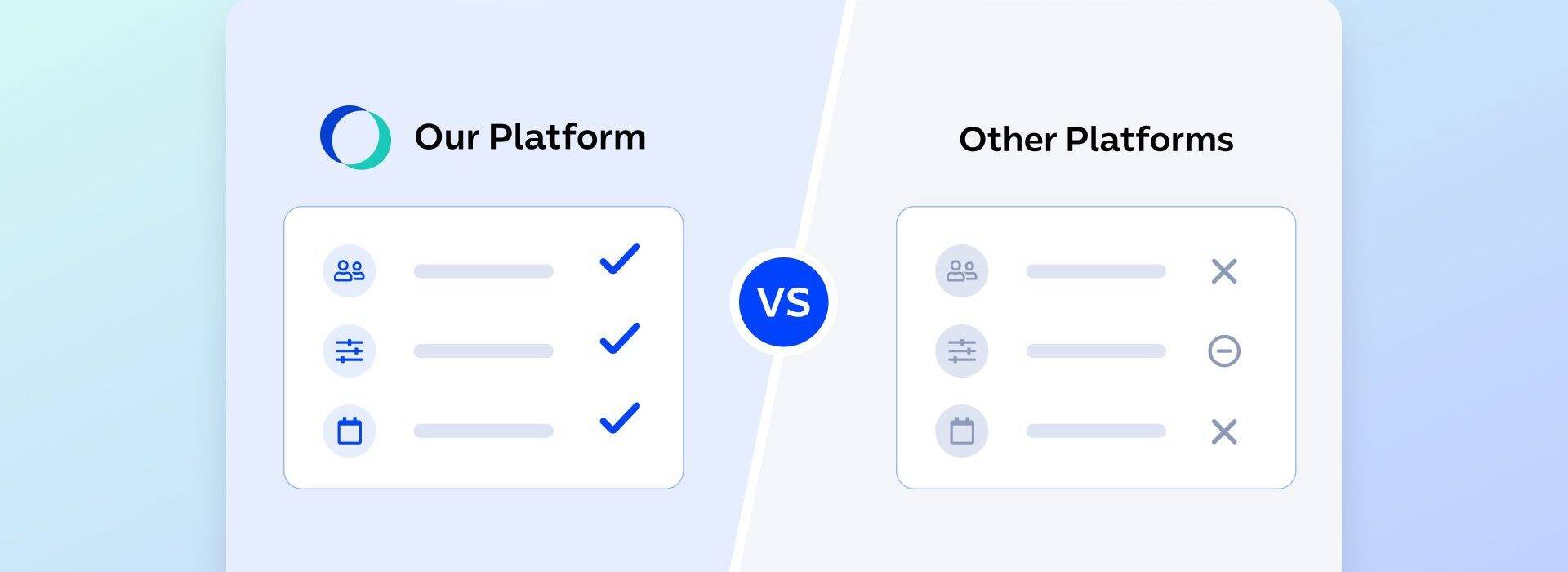
TL;DR:
Let’s get this straight right away – both OfficeRnD Workplace and Yarooms do the core job well. They let employees book desks and rooms, handle visitors, and show facility teams how the office gets used.
Yarooms has been in this market for over 12 years and does some things genuinely well, especially carbon reporting and deployments in regulated industries.

The deeper difference is what each one is built around. Yarooms leans toward the facility side: assets, rules, compliance, and the reporting that proves people followed them.
OfficeRnD Workplace leans toward the employee side: making the office easy and worth showing up for, so people choose to come in. In a voluntary hybrid office, that second instinct is the one that fills desks, because adoption is the whole game.
For most teams in 2026, OfficeRnD Workplace is the better choice, because it wins on what actually decides whether a rollout sticks: adoption, coordination, and cost..
It scores higher on G2 (4.6 vs 4.3), and reviewers consistently call it simple to use, so people actually book without training. Both tools integrate well with your existing stack, but OfficeRnD’s usability shows in how fast it gets adopted. And it does more than show who is coming in: it suggests your best days to be in based on the colleagues and meetings that matter to you, so the office fills up on purpose.
That’s the gist of it. The rest of this post shows the work, leans on public G2 reviews for the harder claims, and tells you where Yarooms is still the right call.
Yarooms is the better call for large, regulated, multi-location enterprises where security and compliance drive decisions (finance, government, healthcare).
| OfficeRnD Workplace | Yarooms | |
|---|---|---|
| G2 Rating | 4.6 / 5 (158 reviews) | 4.3 / 5 (95 reviews) |
| Best for | Employee adoption and in-person collaboration | Compliance-heavy or on-prem buyers |
| Hybrid team coordination | See teammates’ days, plus automatic best-day suggestions from your Favorites and meetings | See teammates’ days via shared work-status calendar |
| Works inside | Teams, Outlook, Google Workspace, Slack | Teams, Outlook, Google Calendar, Slack |
| Visitor management | Add-on at $99 / month | Add-on at $99 / month per location |
| Getting started | Live demo | Live demo |
| Pricing | From €99 / month; price flexes to your exact resource count | From $99 / month; fixed flat-rate tiers |
The two come at the same problem from opposite starting points, and it still shows.
OfficeRnD has built workplace software since 2015, with employee experience as the design center: easy booking, coordination, and getting people to actually come in.
That focus shows in the reviews and the badges. It holds 4.6 on G2 from 158 reviews, with Leader badges in Desk Booking, Meeting Room Booking, Space Management, and Hybrid Enablement, and a feature set built around adoption rather than enforcement.
Yarooms began as a meeting room booking tool and grew outward into a broad enterprise platform: desk and room booking, hybrid scheduling, visitor management, digital signage, analytics, the Yarvis AI assistant, and a carbon dashboard.
That breadth, plus a deep compliance stack, is its calling card, and it sells hard into finance, healthcare, government, and education. It carries 4.3 on G2 from 95 reviews and 4.6 on Capterra.
A workplace platform reflects what its makers think the office is for, and that shapes how it feels to use every day.
Yarooms is strong on the facility side of the problem. Its credential stack, role-based controls, and reporting are built to manage space as a governed asset and to prove policies were followed. For a regulated buyer, that is exactly the right priority, and Yarooms does it well. That’s why it earned a place in our best space management software list this year.

OfficeRnD Workplace starts from the employee moment instead. The bet is that most empty desks stem from a clumsy booking experience: when booking takes seconds and the office is worth the trip, people come in on their own, and utilization follows.
Both views are valid. Which one fits depends on whether your main job is enforcing a mandate or earning attendance. Most hybrid offices in 2026 are trying to earn it, and the rest of this comparison is written with that reader in mind.
Pick Yarooms if you need a built-in carbon dashboard for ESG reporting, you require on-premise or regional data hosting, or compliance is the main thing driving the purchase.

Yarooms carries a serious credential stack (ISO 27001, ISO 27701, SOC 2 Type II, GDPR) with EU data hosting, gives admins detailed role-based control, and at the Enterprise tier deploys on Azure, AWS, or on-prem. That breadth makes it easier to clear procurement and security review in regulated industries.
We included Yarooms in our list of the most popular hybrid work tools of 2026.
Pick OfficeRnD Workplace if your company runs on Microsoft 365 or Google Workspace and you want the tool reviewers consistently find easier to use, so people adopt it without training, or you want the system to actively suggest the best days to come in.
A shared status calendar tells you who is in; OfficeRnD goes further and recommends your day. Most hybrid offices fall into the second group. Here is why.
A booking tool only pays off when employees open it. When the office is optional, the easiest tool wins.
Both platforms let people book from inside Microsoft Teams, both add as a tab or personal app, and both have mobile apps, so on the surface they look similar. Yarooms markets it the same way OfficeRnD does: book from Teams, no new tools, no learning curve. The honest difference is not whether a Teams integration exists, it is how usable the day-to-day experience turns out to be once it is live.
What that looks like in practice: Dewhirst, a UK clothing manufacturer running 15 global locations, started its hybrid program by connecting OfficeRnD Workplace to Microsoft Teams. Employees booked desks from the chat window they already had open every day, with no separate app, no second login, and no training rollout.
The result was a 23% desk-to-employee ratio that actually held up, because the booking flow lived where people already worked.
The review scores back this up. On G2, OfficeRnD Workplace holds 4.6 overall from 158 reviews against Yarooms’ 4.3 from 95, with a 9.5 quality-of-support score and reviewers who consistently describe it as simple and easy to use.

Yarooms reviewers are positive overall, but the recurring criticism is specific: the mobile app can be harder to navigate once floor plans are involved. For an IT or facilities lead measured on rollout success, that day-one usability gap is the difference between a tool people adopt and one they avoid.
Hybrid work breaks down when everyone shows up on different days, and the office stays half full of people working alone. Visibility into who is coming in is the first fix, and both platforms handle it.
Yarooms gives a shared calendar where everyone sets a weekly status, and reviewers genuinely like it for planning their week around colleagues. OfficeRnD Workplace shows the same picture of who is in and where they sit.
Those Highlight Days are calculated from the colleagues you mark as Favorites and the onsite meetings you have been invited to, and they arrive as a weekly nudge from the Teams chatbot.
You can follow up to 15 people, see which desk a teammate booked and grab one nearby, and send an invite to pull a remote colleague in for a specific day.
So the honest line is this: both tools tell you who is in. OfficeRnD Workplace tells you which day is worth the commute, then helps you sit next to the people you came in for. That is the part that turns visibility into actual collaboration.
Empty desks usually mean the booking experience is annoying, not that you have too much space. Good analytics tell you which one you are dealing with, and both platforms deliver here. OfficeRnD Workplace tracks desk and room utilization, attendance patterns, and presence through check-ins.
Yarooms reports occupancy, booking patterns, hybrid attendance, and visitor traffic, and its real-time availability gets specific praise from reviewers who say it helps them see what is open and book faster. Call this one a draw on the core reporting.
Yarooms adds a carbon dashboard for sustainability tracking, which OfficeRnD Workplace does not match. If ESG reporting is on your roadmap, that is a real point in Yarooms’ favor.
Easier booking drives higher adoption, the suggestions pull people in on the same days, and the utilization data then shows facilities and finance which desks, rooms, and floors are actually earning their keep. The numbers are only as useful as the behavior feeding them, and that is the loop OfficeRnD Workplace is built to close.
If you want to dive deeper into desk booking features, check out our post on the top desk booking tools for 2026.
Both platforms charge for visitor management, so this is not a free-versus-paid story. OfficeRnD Workplace offers it as the Visitor Hub add-on across plans, covering guest check-in, host notifications, and delivery management. Yarooms prices it per location at $99 per month.

The distinction is how the cost scales. An add-on attached to your platform is one line item; a per-location fee multiplies with every building you switch it on for. For a single site, the two are close. Across several offices, map the Yarooms per-location math into your quote before you compare totals.
This is mostly a tie, and that is fine to say. OfficeRnD Workplace connects natively to Microsoft 365, Teams, Outlook, Google Workspace, Google Calendar, Chrome, Slack, Okta for SSO, Brivo for access control, and Zapier.

Yarooms covers the same essentials: Teams, Outlook, Google Calendar, Slack, Azure AD, Okta, and a REST API at the Enterprise tier. Both connect to the identity and calendar tools a typical IT team expects.
Both also book from inside Teams as a tab or personal app, so the integration breadth is genuinely even. The difference shows up in usability and the coordination features, not in the connector list.
OfficeRnD Workplace users consistently call out how easy it is for both employees and admins, and the way it works inside Teams and Outlook. The common request is better Outlook status sync and more granular admin permissions. Worth knowing, and a fair limitation to weigh.

Yarooms users like the real-time availability and how fast desk booking is, and they praise the support team during onboarding and rollout.

Yarooms G2 review summary.
The recurring criticism on G2 is specific rather than broad: the mobile app can be harder to navigate when floor plans are involved, and some plans gate advanced analytics, API access, and on-prem deployment behind the Enterprise tier. Those are the real trade-offs, in users’ own experience.
| OfficeRnD Workplace | Yarooms | |
|---|---|---|
| Pricing model | Per bookable resource plus meeting rooms | Per user, scoped by locations, floors, and bookable spaces |
| Entry tier | Start, from €99 / month, up to 150 users | Starter, from $99 / month, 1 location and 2 floors, up to 20 users |
| Mid-tier | Professional, from €399 / month, up to 1,000 users | Business, from $399 / month, 2 locations, up to 150 bookable spaces, up to 200 users; 90-day analytics, AI assistant, SSO |
| Enterprise | Custom-priced, unlimited users | From $899 / month, 5+ locations, API, on-prem |
The headline numbers look close, and both vendors publish pricing openly, which is more than many competitors do. The structure underneath is where they diverge, and it matters more than the starting price.
Take a company with 100 employees in one office. On OfficeRnD Workplace, 100 people sit comfortably inside the Start tier (up to 150 users), and you pay for the desks and rooms you actually manage, so if those 100 people share 60 desks, you pay for 60.
On Yarooms, the entry Starter tier is built for a single small site, and the features most 100-person companies expect (analytics, the AI assistant, SSO, a second location) sit in the Business tier at $399 and up.
The practical entry point for a real hybrid office is usually higher on Yarooms than the $99 sticker suggests.
The bigger difference is what scales your bill. OfficeRnD Workplace scales with desks and rooms, so a company with far more employees than desks pays for the smaller number.
Yarooms scales with users and locations, so headcount growth and every new site push the cost up. Before comparing totals, map your own desk-to-headcount ratio and your number of sites against both models, and remember visitor management is a paid add-on either way.
A workplace platform has to satisfy several people at once, and they do not all want the same thing. Here is how the two compare for the four who usually sit in the room.
| Stakeholder | OfficeRnD Workplace | Yarooms |
|---|---|---|
| HR | Drives adoption without a mandate. Reviewers consistently call it simple to use, and team coordination supports culture and connection, with visibility into who is in rather than surveillance of where they sat. | Capable, but the facility-and-policy emphasis can feel more like enforcement than engagement to employees. |
| IT | Strong, audited security posture: SOC 2 Type II, ISO 27001, GDPR, PCI DSS, HECVAT, and VPAT, with an A-grade external security rating. Reviewers ask for tighter Outlook sync and finer admin permissions | Comparable certification stack with two extras some buyers require: ISO 27701 (privacy) and on-prem or private-cloud (Azure/AWS) deployment at Enterprise. |
| Facilities | Higher-rated day-to-day usability and utilization data tied to real attendance, so space decisions rest on behavior people actually chose. | Reliable asset tracking and real-time availability; the mobile and floor-plan experience is the recurring reviewer complaint. |
| Finance | Resource-based pricing can lower cost per employee when desks are shared across a larger headcount, and adoption turns spend into measured utilization. | Per-user-and-location pricing is simple to forecast but rises with both headcount and sites. |
Yarooms is a capable platform and the right pick if carbon reporting, on-prem hosting, or heavy compliance leads your decision. Give it a serious look in those cases.
For everyone else, OfficeRnD Workplace is the stronger workplace management choice in 2026. It rates higher on G2 overall and earns stronger usability reviews, so the rollout sticks instead of stalling. It shows who is in, recommends the days worth coming in, and helps people sit together once they arrive. Better experience leads to higher utilization, and higher utilization is what makes your office investment pay off.
Want to see it on your own floor plans? Book a live demo of OfficeRnD Workplace and walk through desks, rooms, and coordination with your own office setup in mind.
Also, check out how OfficeRnD Workplace sits next to desk.ly and how it compares to Envoy Workplace and to Robin.


Book a desk and parking spot in one flow, and join a waitlist when the car park is full.
Compare 6 Skedda alternatives on price, IT fit and G2 reviews.
![14 Best Space Management Software Tested and Compared [2026]](data:image/svg+xml;base64,PHN2ZyB2aWV3Qm94PSIwIDAgMTE1MiA3MTkiIHdpZHRoPSIxMTUyIiBoZWlnaHQ9IjcxOSIgeG1sbnM9Imh0dHA6Ly93d3cudzMub3JnLzIwMDAvc3ZnIj48L3N2Zz4=)
The best space management software in 2026 is OfficeRnD Workplace. This is a complete buyer's guide.
The average flex operator connects 1.65 of 5 core systems. See what the gap costs and how to fix it.
A 2-site coworking operator shares how OfficeRnD's AI Sales Agent handles inquiries.
A full year of hybrid work data, taken from our own Workplace product analytics.