How to Organize Desk Sharing in Your Company (7 Things to Consider)

9 mins read
Published: Feb 1, 2022
Last updated: Jul 3, 2026
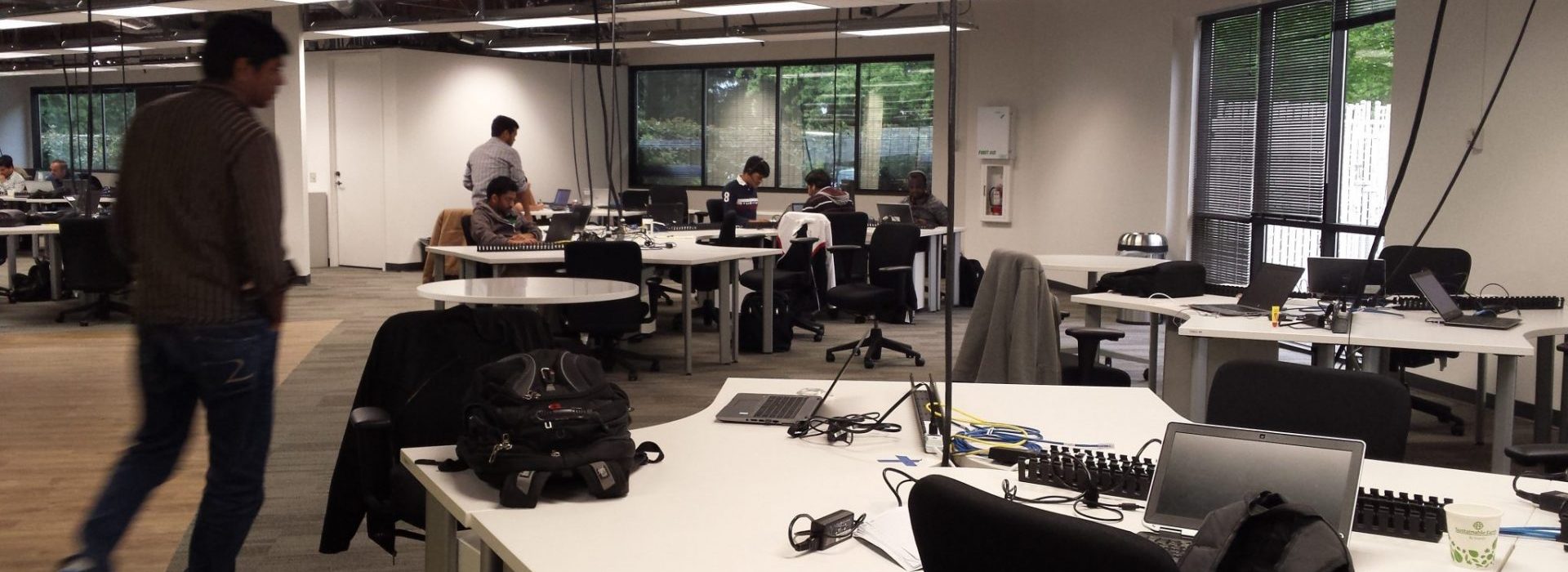
Desk sharing is a workplace arrangement where employees use available desks instead of having one assigned to them.
Most companies moving to hybrid work run into the same question: how do you organize desk sharing? CBRE’s 2026 benchmarking data shows 89% of organizations now run a formal hybrid program, and 96% have a targeted in-office policy. With only some employees in the office on any given day, reorganizing desk space stops being optional.
Setting up desk sharing takes planning. Companies need to look at their existing work culture, gauge employee readiness, and work out how to reorganize shared office space (hot desking or hoteling) before writing a single policy line.
Desk sharing has many pros and cons, so it’s good for companies to take these into account when exploring whether to introduce it or not. If you’ve already come to the conclusion that you want desk sharing in your company, the next step is to set the foundation that will make it work.
This involves reaching out to employees and analyzing their responses, as well as other practical considerations about the office environment. Balancing all of these out over time will result in your particular implementation of desk sharing, tailored to your company’s and employees’ needs.
Here are the main things you will need to consider when moving in the direction of a desk-sharing arrangement.
Before you introduce desk sharing, you need to survey your employees and define the specific work styles and habits at your company. Desk sharing will likely disrupt them in some way, so it’s good to know what you can expect.
At this stage, it’s important to collect detailed and precise data about the work styles, office design, desk occupancy, and preferences of each team or department.
Maybe the marketing department spends twice as much time in the office as the dev team or vice versa. Whatever the case, you need to how often each team works in the office currently.
This data will determine how you redesign the office space, later on, taking into account the needs and preferences of employees more likely to come to the office.
Collaborating with colleagues is the top reason employees give for coming into the office, cited by 68% of respondents in CBRE’s 2026 benchmarking data. If community and collaboration are important parts of your company culture, your desk-sharing arrangement will need to reflect this to provide people with the ability to connect, despite the alternative office space setup.
Once you know how often each team comes in, set a sharing ratio: the number of employees per desk.
CBRE’s 2026 benchmarking data shows where that number typically lands. 69% of organizations report that more than 40% of their workforce shares desks, and none of the organizations surveyed still target a 1:1 ratio. The ratios have also gotten more conservative: 48% now target 1.01 to 1.49 people per desk, up from 21% in 2024, while only 33% target a ratio above 1.5:1, down from 62% the year before.
Organizations are basing these ratios on data instead of guesswork: job function (83%), space-utilization data (78%), and supply-and-demand data (68%).
A practical starting point: pull your badge or booking data for the last 4 to 8 weeks, find average daily attendance by team, and set your ratio close to that number with a small buffer for peak days. Tuesday is the most common peak day (73% of organizations report it as their busiest), so plan desk counts around that, not the five-day average.
Source: CBRE, The Hybrid Reality: Why the Office Is More Important Than Ever (2026)
Apart from surveying attitudes at a distance, it’s really useful to directly involve your employees in the conversation. Giving them a voice about how to use the office on their terms will make it much easier to organize desk sharing and create a pleasant work environment.
To start with, you can familiarize your teams with the concept of desk sharing, and how it fits into the hybrid working model. You can speak about its benefits as well as about the impact it will have on current day-to-day routines.
You can also ask them to share how they feel about making such a change, and what possible concerns or ideas they may have about it. Asking for feedback is likely to raise questions that you had not thought of, so you only stand to benefit from it.
Unless your company has 5 employees or fewer, running desk sharing off a spreadsheet gets difficult fast. Dedicated desk-sharing software makes both the transition to hybrid work and its ongoing management easier.
A good desk booking system lets employees find and reserve a desk or meeting room from an interactive floor plan, and gives facilities teams utilization data to plan office space. Most systems also handle related resources like parking, and work from mobile, web, Microsoft Teams, Slack, and Outlook so employees don’t need a separate app just to book a desk.
OfficeRnD Workplace is a workplace management product built for this: employees book desks and rooms from an interactive floor plan, and admins get analytics on how the space is actually used. It connects natively with Microsoft 365, Google Workspace, and Slack.
CBRE’s 2026 research on workplace technology found that most organizations are still in the early stages of applying AI to space management. The two biggest barriers are a lack of in-house expertise (55%) and inconsistent data quality (51%). Whatever AI features arrive in desk booking tools next will run on the same booking and attendance data you’re already collecting. It’s worth getting that data clean now.
Source: CBRE, Data at the Heart of Hybrid: Leveraging AI & Tech to Optimize the Workplace (2026)
There is no one-size-fits-all way to organize shared spaces. Obviously, certain people need to keep their personal desks and private offices – unless you want your receptionists, administrators, or HR professionals to be located in a different work area every day. That said, it may also be useful to consider some form of “ownership” for those employees that find desk sharing too disruptive to their routine.
For example, HubSpot gives dedicated desks to employees who come into the office 3 or more days a week, and allocates shared “hotel desks” to employees who come in less often. (HubSpot also supports remote and hybrid employees’ home office setups, to help them stay productive.)
Guaranteeing that employees will be able to secure a desk in a certain area or department is one way of making room for people’s habits without sacrificing the point of desk sharing. Alternatively, you can install lockers or some other form of storage that enables people to store their personal items and retrieve them easily, without having to carry them from and to work all the time.
Another form of “ownership” is the way in which people like to set up their desk space. The more options you can provide in terms of adjustable desks, chairs, monitors, or even lightning, the easier it will be for everyone to feel “at home” at any desk. Here, too, you can solicit feedback to determine what’s important for employees so that you can meet their needs as much as possible.
After you launch desk sharing, keep measuring it. CBRE’s 2026 data shows increasing utilization is a top goal for 81% of corporate real estate teams, and 87% of organizations set explicit targets for building utilization rates, most often between 76% and 85%.
Track at least these three numbers:
Badge swipes, WiFi logins, and desk-booking software are the three most common ways companies collect this data. Review the numbers monthly for the first few months. A sharing ratio that looks right on paper often needs adjusting once real attendance data comes in.
Source: CBRE, The Hybrid Reality: Why the Office Is More Important Than Ever (2026)
The last step is to create a desk sharing policy. This policy must reflect the decisions you’ve made about desk sharing going forward.
Your policy needn’t be a heavy or long document. Instead, it must answer the main questions about desk organization. Start by defining the scope of the arrangement: does desk sharing apply to everyone, or only certain teams? Are there exceptions, and when do they apply? As you get more advanced, you can create entire office neighborhoods, but for now, a simple document will do.
The document must also specify the responsibilities team members will have. This can include how to care for desks and shared space, and how desks can be used: first-come first-served, a rotational principle, reservations via a desk booking system, or something else.
The policy must also include the specific commitments the company makes to employees: the exact number of desks available, how desks will be booked, cleaning responsibilities (see our hot desking hygiene guide), and whether storage will be available. This is also where you record the sharing ratio you set earlier and how you’ll adjust it as attendance data comes in. It’s good to also specify who is responsible for implementing the policy and who people can contact if a problem arises.
Finally, consider setting a few etiquette rules for desk sharing. These will help everyone stay on the same page when coming to the office and working on shared desks.
In short, a desk sharing policy grounds the arrangement in specific terms and gives employees clarity.
Shifting to a desk-sharing setup takes effort up front. Done well, it brings productivity gains, lower costs, and more flexibility for employees.
OfficeRnD Workplace can help. The product gives you visual floor plans, desk and meeting room booking, and space management tools to run desk sharing without the manual tracking.
Want to learn more? Book your live demo today and see how OfficeRnD Workplace can support your desk-sharing setup.
Desk sharing is a workplace arrangement where employees use available desks instead of having one permanently assigned to them. Hot desking and desk hoteling are the two most common ways to organize it.
Most organizations in 2026 target between 1.01 and 1.49 employees per desk, according to CBRE’s benchmarking data. The right ratio for your company depends on how many days a week your teams come in and how much attendance data you already have.
No. Desk sharing is the umbrella term for any arrangement without assigned desks. Hot desking is unreserved, first-come seating. Desk hoteling lets employees reserve a specific desk in advance through booking software.
Survey work styles and habits before you launch, involve employees in the policy design, and consider limited exceptions, such as dedicated desks or lockers, for roles or people who need more consistency.
Track utilization rate, occupancy rate, and peak-day attendance. Review them monthly for the first few months and adjust your sharing ratio if actual attendance doesn’t match your assumptions.
In most cases, yes. Fewer assigned desks means companies need less office space per employee, which lowers real estate and overhead costs. The savings depend on how aggressive the sharing ratio is and how much space is reclaimed or reconfigured.


![The Hybrid Work Trends That Will Shape 2027 [Webinar]](https://www.officernd.com/wp-content/uploads/2026/11/The-Hybrid-Work-Trends-2027-1-336x150.png)

Eager to learn the real flex and coworking space trends for 2027 without the hype? Read on.
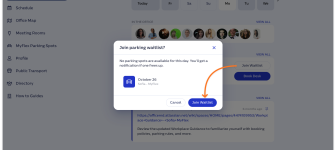
Book a desk and parking spot in one flow, and join a waitlist when the car park is full.
Compare 6 Skedda alternatives on price, IT fit and G2 reviews.
![14 Best Space Management Software Tested and Compared [2026]](https://www.officernd.com/wp-content/uploads/2022/07/Manage-Shared-Seating.png)
The best space management software in 2026 is OfficeRnD Workplace. This is a complete buyer's guide.

The average flex operator connects 1.65 of 5 core systems. See what the gap costs and how to fix it.