How To Manage Your Time In A Hybrid Workplace [Easy Guide]

7 mins read
Published: Nov 25, 2022
Last updated: Jul 31, 2026

Hybrid work in a hybrid workplace means splitting your week between the office and home, and managing your time across both without losing focus or momentum. Getting that split right is the difference between a productive week and one that slips away in scattered meetings and half-finished tasks.
Hybrid work is here to stay, and it’s been a focus of ours for a long time. It’s not new anymore, and most people know the benefits.

Time management, though, is a topic researchers were studying long before the pandemic. What’s changed is the setting: staying productive and keeping a clear schedule now means planning across two work environments instead of one.
Below are practical tips for preparing your day and building an environment where you actually get things done. A hybrid work model should fit your needs and help you use your time better.
Ready?

Although your schedule likely has some flexibility, try to set particular “in-office” days and “remote” days. This helps you build a routine you can stick to. The specific days are up to you, but you’ll want to design them around whatever is most efficient for getting work done and for your commute.
You can shift these days when you need to, but keep your schedule as consistent as you can for the most part.
There are hybrid work management tools that give you the visibility and the ease of deciding when to come to the office and when it’s better to stay at home.
For example, to be more productive in your meetings, you may want to collaborate in person. Knowing who’s in and who’s staying home helps you plan your attendance and manage your time better, which is a big advantage.

To stay focused and on track, set up a “to-do” list each day. It helps you prioritize your work and sort it around your calendar and hybrid schedule. Crossing items off the list gives you a sense of progress, too.
This is something most hybrid work influencers advise as well.
Check whether any meetings need you there in person. You might have to shuffle your days around to be in the office for the most important meetings and conferences. Building relationships with your team members makes better use of your time and supports clear communication across hybrid teams.

A lot of the conversation around remote and hybrid work has focused on the downside of too many virtual meetings (Zoom fatigue, burnout) and too little time for in-person interaction.
A good desk booking solution helps here. Employees can book desks and see if their peers are in the office. They can build their own hybrid schedule, which supports collaboration and teamwork and improves the workplace experience.
In-person collaboration is a big factor when choosing between a remote day and an office day. Gallup found that 38% of fully remote workers would prefer hybrid work. Although fully remote employees enjoy their flexibility, four in 10 would give up some of that time at home to have in-person office experiences.
You might be losing a real chunk of your day to simple distractions. Research by Gloria Mark at the University of California, Irvine is the source of a widely cited figure: it takes over 23 minutes to fully regain focus on your original task after an interruption. That’s time you won’t get back. Time-blocking is one way to protect it.
Block slots in your calendar for so-called “deep work” so you schedule better and spend time on the work that matters. It sets clear expectations for when you can be interrupted and when you can’t, and it removes the constant pull of meetings. Hybrid team members can pair time-blocking with in-office meetings, then save focused tasks for remote days.

You can read more about time blocking in our article on time management goals.
One of the main pieces of time management in a hybrid setup is getting your home office right. Set it up to look and feel similar to your desk at work.
You want to stay mentally set in an office-like environment so you don’t drift from the norms an office culture expects.
Don’t let the setting at home make you feel like you can slack off or drop your standards.
Include the kind of elements you’d find at the office. Invest in a comfortable chair and an ergonomic keyboard so your body doesn’t take too much strain through the day. Then you’re not adjusting to a different environment every time you sit down to work, which matters for remote days.
We cover this and more in our article on the most anticipated hybrid work trends.
Some work management tools help. Too many of them do NOT increase your productivity, and they can drag it down. Not every workflow platform is worth the overhead, especially when you’re juggling several. Instead of hunting for an app to solve every problem, try this:
On that last point, tools that live inside software your team already uses tend to see higher adoption because there’s nothing new to install or learn. OfficeRnD Workplace is built to work inside the tools your team already uses. Employees can book desks, schedule meeting rooms, and see who’s in the office without leaving Microsoft Teams, Outlook, Microsoft 365, Google Calendar, or Slack. This app-less approach drives higher adoption because there’s nothing new for employees to learn or install.
Check out this article for more hybrid work tips for employees.
The hardest part of hybrid time management is coordination. You can block your calendar perfectly and still lose a day if the people you needed to see stayed home.
Fix that by planning your onsite days around the right teammates, not just around a policy. Collaborative scheduling can show you who’s in the office to help you plan your day and the weeks ahead. Book your in-office time for the work that genuinely benefits from being in the same room, brainstorming, one-to-ones, team meetings, and keep independent, heads-down work for remote days.
Gallup’s data backs this approach. Managers should consider how interdependently their team members must work. Highly interdependent teams rely on one another to do work, hand-in-hand, real-time. The more interdependent they are, the more explicit managers must be about when people need to be on-site together, when they need to be available to their teammates, and how handoffs will be handled.
Ideally, your team manages their own time without needing constant guidance from their managers. The hybrid model works best when each person sees the bigger picture. That starts with clear guidelines, and workplace policies are the way to set them. We’ve covered what you need to know about hybrid workplace policies in this ebook.
A defined set of hybrid work KPIs helps a lot too.
Set clear expectations for how people manage their time. Time management and workplace planning are the foundation. First, know your team’s policies (for example, whether you’re expected to work remotely a set number of days per week or month). Second, set a work schedule that fits you. A generic pre-made template usually won’t cut it and can be a mistake. Group your meetings on particular days (on-site, or on Microsoft Teams and Slack) so you know your priorities for the week ahead. Leave a slot for deep work and consider a no-meetings day.
Every company’s needs differ, but hybrid schedules generally have employees in the office on certain days and working from home on others. Which days depend on the business and on when meetings happen. Teams organize better when members discuss what works for each of them. That predictability helps you plan your hours and perform better.
Note that hybrid work schedules aren’t the same as schedules within an organization with a hybrid structure.
Collaborate clearly on shared projects. Start with each person sharing their schedule in a weekly sync, then plan office visits accordingly. Keep the team connected to perform well in a hybrid setup. One way to do that is activity-based working, which helps you handle the challenges that come up and turn them into success.
There’s no single right answer. Gallup found four in 10 employees want to be in the office two to three days per week, and another three in 10 would prefer roughly one or two days in the office each week. The best split depends on your role, your team, and how much of your work depends on other people in real time. Pick office days that match the work that benefits most from being together, then reassess as you go.



![The Hybrid Work Trends That Will Shape 2027 [Webinar]](https://www.officernd.com/wp-content/uploads/2026/11/The-Hybrid-Work-Trends-2027-1-336x150.png)

Eager to learn the real flex and coworking space trends for 2027 without the hype? Read on.
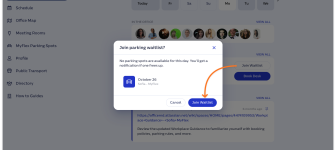
Book a desk and parking spot in one flow, and join a waitlist when the car park is full.
Compare 6 Skedda alternatives on price, IT fit and G2 reviews.
![14 Best Space Management Software Tested and Compared [2026]](https://www.officernd.com/wp-content/uploads/2022/07/Manage-Shared-Seating.png)
The best space management software in 2026 is OfficeRnD Workplace. This is a complete buyer's guide.

The average flex operator connects 1.65 of 5 core systems. See what the gap costs and how to fix it.