OfficeRnD Workplace vs deskbird: A Comparison You’d Like to Read

13 mins read Published: Sep 11, 2026 Last updated: Sep 14, 2026
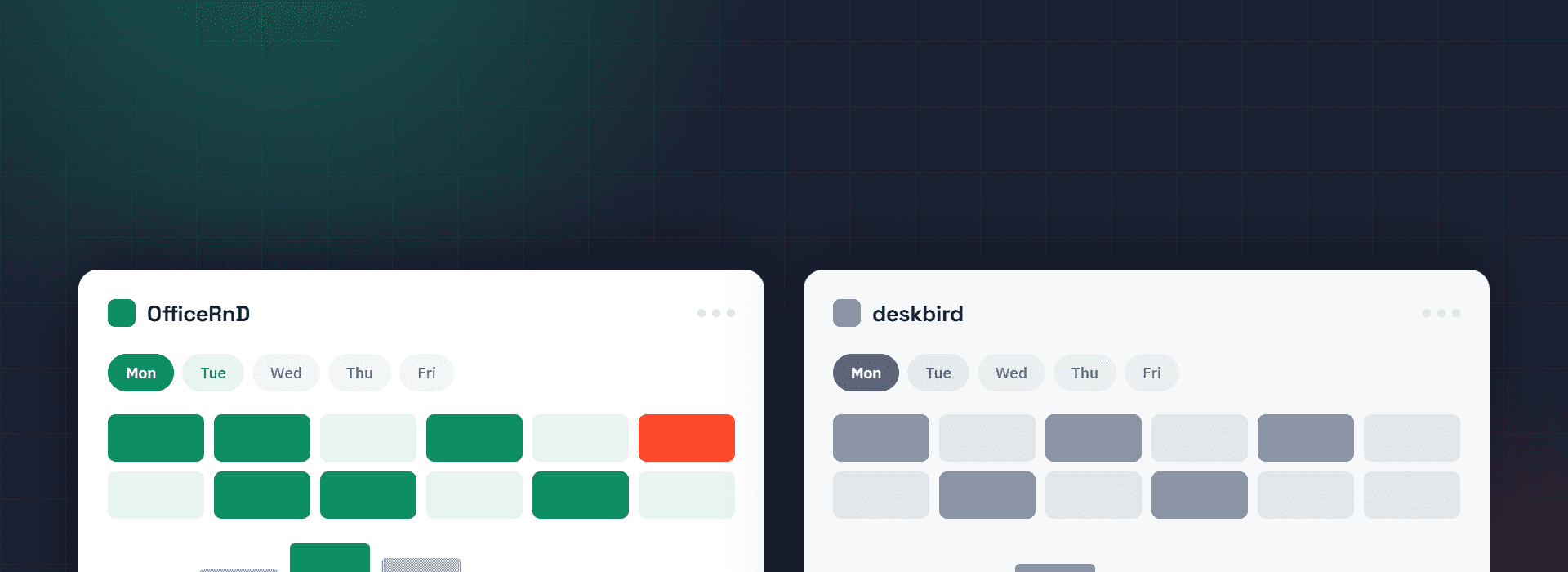
TL;DR:
A typical hybrid office day: you book a desk in Teams (or Slack), the floor plan fills up with faces, and never once wonder how the software works. That’s exactly what both products are designed for.
The harder question is what month six looks like after adopting a new hybrid work tool. That’s when the office lead wants a report showing whether people are actually following the attendance policy, IT wants automated provisioning, finance wants parking on the same invoice, and tech people start asking if there’s an API. On deskbird, most of those answers are “that’s the Professional tier” or “that’s an add-on” and none of those have a published price on their website.
OfficeRnD Workplace starts from the same employee moment, but it was built for the sixth month as much as the first. Desks, rooms, parking, ticketing, visitors, policy reporting, and multi-location admin all sit in one product, and you can see what it costs up to the mid-tier.
This article walks you through where each product earns its place, uses public G2 reviews and both vendors’ published pricing to back up the claims that need it, and plainly says which one is the best buy for a particular use case.
Let’s begin with a quick comparison.

You have to agree that a booking tool is worth nothing the moment people stop using it. When the office is optional, the tool with the least friction wins, and this is the one round where the two products are genuinely close.

Both products live inside Microsoft Teams, Outlook, Google Calendar, and Slack. Both have iOS and Android apps. Both let someone book a desk from the chat window they already had open. Reviewers of both call them easy, and both vendors have earned that.
Where OfficeRnD Workplace pulls ahead is on the numbers underneath the headline rating: 9.4 for ease of use, 9.2 for ease of setup, and 9.5 for quality of support on G2. That last one matters more than it looks, because the first three weeks of a rollout are when it either sticks or quietly dies.
One practical gap for global teams: OfficeRnD Workplace ships its employee apps in 26+ languages; deskbird in only 9. If your rollout includes offices in Poland, Japan or Brazil, that is not a detail. Take, for example, the Müller case study.
The family-owned food and logistics group has around 31,700 employees and 22 office locations across Central Europe and the UK. It went from a fully in-office model to fully remote and back to a hybrid policy of roughly three office days a week, and it tried to coordinate all of that on an Excel spreadsheet.
Two things made the replacement stick. The first is where the booking happens: 86% of desks are now booked directly through Microsoft Teams and 98% of meeting rooms through Outlook or Teams, so nobody had to be persuaded to adopt a new app. The second is that Müller wanted to keep a shared-desk model while opening a new German office and refurbishing a UK one, which means running 22 sites with fewer desks than people and needing location-by-location analytics to see which resources could be cut.
That combination is exactly where the two products differentiate. deskbird gives you unlimited locations on its entry plan, which is genuinely generous, but the analytics you would need to compare 22 of them sit in the custom-priced Professional tier, and per-user billing means every desk you remove saves you rent and nothing else. Imagine if your team expands, but you want to keep the same amount of office space/desks. This automatically means you’ll be paying more for deskbird’s service. On OfficeRnD Workplace, cutting desks cuts the software bill too, and team neighbourhoods keep groups together across sites even when people belong to more than one team.
Read the full Müller case study.
The reasons we went with OfficeRnD were the MS Teams integration, fast implementation without issues, great collaboration with OfficeRnD, everything worked as expected, and no concerns that the solution will cause issues in the future. It was also super easy to get started.
Thomas Sluka, IT Project Manager
The hybrid work setting falls apart when everyone picks different days, and the office sits half empty, full of people working alone. Seeing who is coming in is the first fix, and both tools handle it well: colleague search, floor plans showing where people sit, weekly schedules, and team filters.
deskbird adds smart booking recommendations and workplace events, so people can see what is happening in the office before deciding whether to come in. It is a nice touch, and reviewers mention it.
OfficeRnD Workplace goes a step further and recommends the specific days you should be in. Those Suggested Days are calculated from the colleagues you mark as favourites and the onsite meetings in your calendar, and they arrive as a weekly nudge from the Teams chatbot. You can follow up to 15 people, see which desk a teammate booked and grab one nearby, send an invite to pull a remote colleague in for a specific day, and keep a group together with team neighbourhoods instead of scattering them across the whole office.
Both tools tell you who is in. One of them tells you which day is worth the drive, then seats you next to the people you came for. This was one of the criteria we used to evaluate the best desk booking software of 2026 and the best hybrid work solutions.
This is the part of the comparison that decides most shortlists, and it is the part demos skip.
Almost every hybrid work setup grows the same way. Booking works, so the office lead asks whether anyone is actually meeting the two-days-a-week expectation. IT asks for automated provisioning so leavers drop out of the system. Facilities want parking on the same booking flow. Someone wants tickets raised when a monitor dies. Finance wants one invoice, not four.
On OfficeRnD Workplace, those are named line items on a published plan. Internal ticketing, parking as a custom bookable resource, policy compliance and adoption reports, SCIM provisioning, digital signage, Outlook out-of-office sync and multi-location management all arrive at Professional, from €399 a month. Door access through Brivo, API and webhooks, an admin audit trail and per-location admin roles sit at Enterprise.
On deskbird, the same list is split across a custom-priced tier and three add-ons. Workplace ticketing, advanced analytics, public API access, access control integrations, the AI floor plan designer and compliance management are all Professional, which is quote-only. SAML authentication, SCIM provisioning and HRIS sync are the User & Data Management Plus add-on. Meeting room kiosks and catering requests are available in Rooms Plus. Visitor management is included in the Visitor Plus paid plan. None of the add-ons carry a public price so we can’t honestly compare them in that sense.
Analytics deserve a specific mention, because it’s where reviewers themselves flag the gap. deskbird includes office and workforce analytics on their Business Plan, but custom exports and advanced analytics are Professional, and one G2 reviewer describes struggling to work out average weekly office attendance because of how bookings and presence are counted.
OfficeRnD Workplace reports resource utilisation, room utilisation, workplace presence, and employee space usage trends from the Start plan, and ties them to real attendance through check-ins.
Workplace Analytics helped us a lot when we decided to move our office to a different location, but we talk about it further down in this article.
Fair is fair, though. deskbird is the more generous of the two at the entry level in three specific ways: unlimited locations on Business where OfficeRnD needs Professional for multi-location management, parking booking included where OfficeRnD treats it as a custom bookable resource at Professional, and a much longer list of HRIS connectors – BambooHR, Personio, Workday, HiBob, Factorial and more. If syncing leave data from your HR system is the thing that makes or breaks the rollout, deskbird has done more work there.
We run our own office on OfficeRnD Workplace, and we published the results rather than describing them. A year of hybrid work data from our own office covers 13,024 desk bookings and one office move.
The numbers that changed how we work:
Those findings did two jobs. They shaped our own hybrid policy – there was no point mandating days people were already choosing, and every point of the Friday gap was a real question about what the office is for. And they made the team more productive in a practical way: the release and ghost-booking mechanics mean a desk that someone booked and then skipped goes back on the map the same morning, so the person who did make the trip finds a seat.
Now price that exercise on the other model. To get recurrence rates, release rates, ghost-booking counts, weekday splits, and custom exports out of deskbird, you need advanced analytics and custom exports, which are Professional, which is quote-only – and its own reviewers say the standard attendance reporting is hard to read, with one describing being unable to work out average weekly attendance at all.
Then there is the bill underneath it. Our data says the office runs at 63% on a normal (average) day and 36% on a Friday. A per-user model charges you for 100% of your headcount to run that office, every month, and keeps charging the same amount as you act on the findings. A per-resource model charges you for the desks, so the moment the data tells you to shed ten of them, the software gets cheaper too. The analytics and the pricing model pull in the same direction, which is the whole point of measuring anything. Read the full report below.

The starting numbers look close. The models underneath are not, and it matters far more than the sticker.
Here is the scenario that settles it. Picture 100 people in one office sharing 60 desks and 6 meeting rooms.
On OfficeRnD Workplace, those 100 people sit inside the Start tier, and you pay for the space: 60 desks at €2 and 6 rooms at €8 comes to €168 a month on an annual contract. On deskbird, 100 active users at €2.75 comes to €275 a month. Same office, same desks, but you get roughly 64% more on price.
Now grow to 150 people without adding a desk, which is exactly what a desk-sharing setup is for. OfficeRnD Workplace stays at €168, because you did not add any resources. deskbird goes to €412.50.
The reverse case is real too, and worth saying out loud. A 30-person company with 20 desks and 2 rooms would pay €56 of resource value on OfficeRnD Workplace, but the €99 monthly minimum applies, so the bill is €99. The same team on deskbird pays about €82.50. Below roughly 35 people, deskbird is the cheaper option, and the smaller you are, the more suitable that gets.
So do the maths on two things before you trust any quote: your desk-to-headcount ratio, and how many of the Professional-tier features and add-ons you will actually switch on. OfficeRnD Workplace scales with desks and rooms. deskbird scales with people, then again with every add-on.

Strip out the marketing and read the reviews.
OfficeRnD Workplace users point to how easy it is for staff and admins alike, the visual map showing who is in the office, and how naturally it works in Teams and Outlook. Support scores 9.5. The two standing requests: tighter Outlook out-of-office sync and finer-grained admin permissions. Fair gaps, worth weighing.
deskbird users are positive too, and there are more of them: 311 reviews, 4.5 overall, with ease of use as the single most-mentioned strength. The criticisms are specific rather than broad, and they cluster. The app is slow to load, sometimes failing outright – one reviewer describes fighting for a desk at 9am while it spins.
Outlook sync draws the sharpest complaint: one admin reports calendar entries sent for the wrong date, and imports a third meeting room, breaking calendar sync for all of them, with a fix outstanding for two months. Reporting comes up repeatedly, with reviewers unable to work out average weekly attendance or to choose what goes into an export. And HRIS sync, deskbird’s own headline strength, draws requests for cleaner syncing from people who otherwise rate it five stars.
Read both sets, and the pattern is consistent with the products. deskbird gets praised hardest for the first week. OfficeRnD Workplace gets praised hardest for support and administration, which is what the tenth month feels like.
This one is close to a draw, and both vendors have done the work. Both carry ISO 27001 and SOC 2 Type 2 and are GDPR compliant. OfficeRnD Workplace adds CCPA, which matters if you have US operations.
deskbird’s edge is data residency: built in Switzerland, hosted in Germany, processed exclusively in the EU. If your security review has a hard EU-only requirement, that is a genuine advantage, and you should weigh it.
OfficeRnD Workplace’s edge is administrative control at the top end: customisable admin roles and permissions per location, an admin audit trail, employee custom location permissions and advanced privacy settings, all at Enterprise. The nuance to watch on both sides is that single sign-on is an add-on on OfficeRnD’s Start plan and included from Professional, while on deskbird, Entra ID and Google Workspace SSO come with Business but SAML and SCIM are a paid add-on on every tier.
A workplace product has to please several people at once, and they rarely want the same thing.

IT runs close between them, and deskbird takes it outright if EU-only hosting is non-negotiable. OfficeRnD Workplace takes the other three rows for most hybrid offices, because adoption, coordination and usage you can point to are what those stakeholders get measured on.
deskbird is a good product and the right pick in a few clear cases: you are under about 35 people, your headcount and desk count are close to the same number, you need several locations on the cheapest possible plan, EU-only hosting is a hard requirement, or HRIS sync is the feature the whole rollout hangs on. In those situations, shortlist it and mean it.
For most hybrid teams, OfficeRnD Workplace is the better workplace management choice in 2026. It rates higher on G2, it puts the coordination features that make hybrid work on the entry plan instead of behind a quote, and it prices by the desks and rooms you manage rather than the people you hire, so the bill stops climbing every time you make an offer.
Better experience feeds higher utilisation, and higher utilisation is what finally justifies the lease. Dewhirst held a 23% desk-to-employee ratio by starting exactly there.
Want to see it on your own floor plans? Book a live demo of OfficeRnD Workplace and walk your real desks, rooms and coordination with your own office in front of you. We also have an interactive demo you could play with and click around, without booking a meeting.
In addition, see how OfficeRnD Workplace compares to desk.ly, Yarooms and Envoy.
It depends on how many people share each desk. deskbird charges €2.75 per active user per month on an annual contract, so the bill follows headcount. OfficeRnD Workplace charges from €2 per bookable desk and €8 per meeting room, with a €99 monthly minimum, so the bill follows your space. Below roughly 35 people deskbird usually costs less; once you have more employees than desks, OfficeRnD Workplace is normally cheaper, and the gap widens as you hire.
OfficeRnD Workplace holds 4.6 out of 5 on G2 from 158 reviews, with 9.4 for ease of use and 9.5 for quality of support. deskbird holds 4.5 out of 5 from 311 reviews. deskbird has the larger review base; OfficeRnD Workplace has the higher score.
Not in the base plan. deskbird sells visitor management as a paid add-on called Visitors Plus, covering a reception kiosk, pre-visit registration and branded invitations. OfficeRnD Workplace sells Visitor Hub as an add-on too, with badge printing, document signing, custom flows and delivery management included.
Both work natively in Teams, and reviewers of both praise the integration. The difference is what happens inside it: OfficeRnD Workplace sends a weekly Suggested Days nudge through the Teams chatbot based on your favourite colleagues and your onsite meetings, so people are prompted rather than expected to remember.
Both can, on the right plan. deskbird includes parking on its Business plan and adds workplace ticketing at Professional, which is custom-priced. OfficeRnD Workplace includes desks and rooms at Start, and adds parking as a custom bookable resource plus internal ticketing at Professional, from €399 a month.


Compare 6 Skedda alternatives on price, IT fit and G2 reviews.
![14 Best Space Management Software Tested and Compared [2026]](data:image/svg+xml;base64,PHN2ZyB2aWV3Qm94PSIwIDAgMTE1MiA3MTkiIHdpZHRoPSIxMTUyIiBoZWlnaHQ9IjcxOSIgeG1sbnM9Imh0dHA6Ly93d3cudzMub3JnLzIwMDAvc3ZnIj48L3N2Zz4=)
The best space management software in 2026 is OfficeRnD Workplace. This is a complete buyer's guide.
The average flex operator connects 1.65 of 5 core systems. See what the gap costs and how to fix it.
A 2-site coworking operator shares how OfficeRnD's AI Sales Agent handles inquiries.
A full year of hybrid work data, taken from our own Workplace product analytics.
OfficeRnD Flex vs Nexudus on pricing, features, and real G2 reviews.