Designing Hybrid Offices for Success in 2026 [A Complete Guide]

13 mins read
Published: May 12, 2023
Last updated: Jul 22, 2026

A hybrid office is a workplace built for teams that split their week between the office and home, with flexible desks, bookable meeting rooms, and scheduling tools that adjust to who is actually coming in each day.
Hybrid is now the default for people whose jobs can be done from anywhere. As of 2025, 51% of remote-capable U.S. employees work in a hybrid model and another 28% are fully remote, so only about 1 in 5 are in the office full time (Gallup).

From start-ups to large, well-established organizations, companies are beginning to embrace the idea of a hybrid office that allows their team members to work both from home and in person.
One of the most promising ways to maximize the benefits of a hybrid office is to design it with productivity and collaboration in mind.
This article will cover the fundamentals of designing a hybrid office, including the pros and cons of hybrid offices and what to include in your design plan.
Quick Summary:
Design is vital for hybrid offices because:
Some ideas for creating a collaborative workspace include:
Envisioning how a hybrid office can be designed to meet your team’s needs is key to your business’s success. By considering the design details that will create the best possible environment for collaboration, you can ensure your hybrid office is a productive and inviting space for both on-site and remote team members.
Design is crucial for hybrid offices because hybrid workers have their own unique set of needs. From flexible access to meeting spaces and breakout rooms, to fast, reliable ways to book a hot desk, designing for hybrid offices means anticipating the hybrid work context.
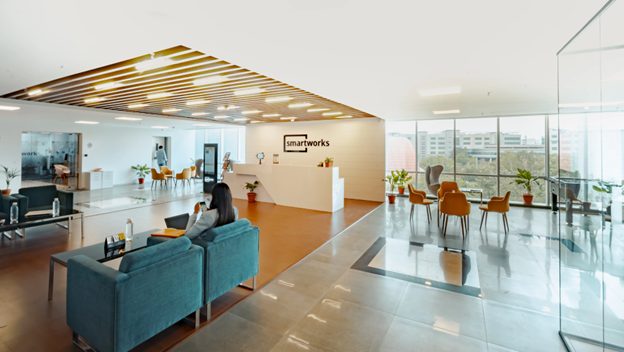
Here are some benefits of a thoughtful, well-designed hybrid office:
That being said, there’s no one-size-fits-all solution for designing a hybrid office; rather, the design should be tailored to meet your specific team’s needs.
Imagining how to design a hybrid office to meet these needs can be challenging, and several key elements must be considered: The layout and furniture of the space should allow for both face-to-face collaboration and remote work.
For example, you can provide comfortable chairs and adjustable desks for those working in the office. You should also ensure ample space for video conferencing and one-on-one collaboration is crucial.
We have an extensive article about facility planning that explains all that and more.
With the growing popularity of hybrid and coworking spaces, companies must utilize different strategies in office design to maximize the benefits of a hybrid work environment.
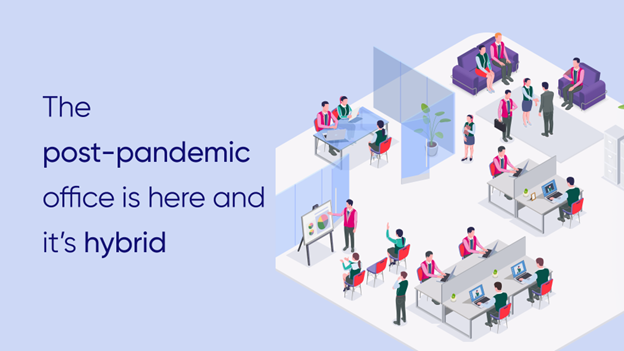
Here are some of the most prominent benefits of creating a thoughtful hybrid office space design.
A hybrid office design can improve employee productivity by providing a comfortable and efficient workspace.
Organizations achieve this through ergonomic furniture, natural lighting, and practical space planning. Employees can easily interact with each other while engaging in team activities that support collaboration. See some cool examples of workplace collaboration.
You can also improve communication between teams and remote office workers with a hybrid office design. Allowing for dynamic workspaces can help hybrid team members easily connect over video conferences or face-to-face.
Many hybrid offices are designed with meeting rooms, shared working areas, and even lounge spaces to create an inviting atmosphere for all workers.
Want to schedule your meeting rooms? Here’s a useful article containing a free meeting room booking Excel template.
A thoughtfully designed hybrid office minimizes distractions and promotes productivity and focus in both remote and on-site workers. Employees can easily move between different workspaces and activities if they have the right furniture, technology, and layout.
Furthermore, a hybrid office can help create a more comfortable work environment, allowing workers to manage their stress levels and complete their tasks more efficiently.
Being able to step away from their desks for a few minutes to take a break in the lounge area can help employees unwind and refocus, leading to higher-quality work.
Office design also affects satisfaction. An inviting, comfortable workspace with details like soft lighting and plants can lower stress and make the office more pleasant. Access to collaborative spaces where people can connect and work together also lifts their mood.
Happier employees build camaraderie and collaboration, support one another, and develop a sense of community at work. Office design can also affect the sustainability of your workplace.
Despite the numerous benefits of hybrid offices, organizations face specific work challenges when adopting this model.

Better workplace design can definitely help you address that but you may also need a tech stack that supports the way your hybrid team operates both on- and off-site.
Using hybrid space management software, for example, can allow hybrid teams to connect with each other and take control of the spaces they’re in.
Team cohesion is essential in any successful business, and it can take more work to achieve it in hybrid offices. Employees who work remotely may feel disconnected from their colleagues and have difficulty receiving timely feedback.
Poor communication between remote and in-person workers can lead to misunderstandings, reduced morale, and inadequate collaboration. Organizations should build trust and engagement among all their employees, regardless of those employees’ respective locations.
The limited physical space of a hybrid office can be a challenge for organizations that need to accommodate both remote and on-site workers. Rearranging a space to accommodate more employees and additional activities is often complex and requires careful planning.
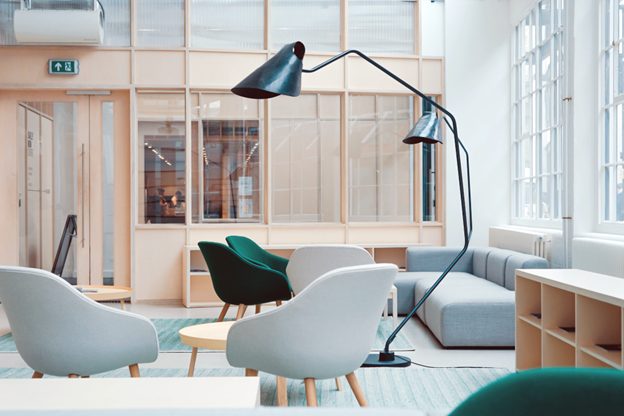
Organizations must be mindful of their office layout and ensure that it suits their hybrid needs. Adding different furniture, providing common areas for collaboration, and investing in technology solutions can help address a lack of physical space. Also, if you decide to move or renovate your office space, check out this office move checklist.
Another area organizations tend to struggle with when implementing a hybrid office is data protection.
With remote workers accessing sensitive information over public or unsecured Wi-Fi networks, the risk of cyber-attacks and data breaches is increased. This puts the organization’s private data at risk and can lead to costly legal or financial repercussions.
One of the best ways to ensure your hybrid office space meets your team’s needs is to utilize the right hybrid work software. Researching and selecting the right tools can help minimize security risks and ensure your data remains safe.
For example, OfficeRnD Workplace has a clean SOC 2 Type 2 report, an independent audit of its security controls.
As already mentioned, a hybrid office space should be designed with the needs of your team in mind. You should consider the following tips when deciding which tasks in your workplace require physical presence and which can be done remotely:
Hybrid work policies are essential for any organization transitioning to a hybrid office.
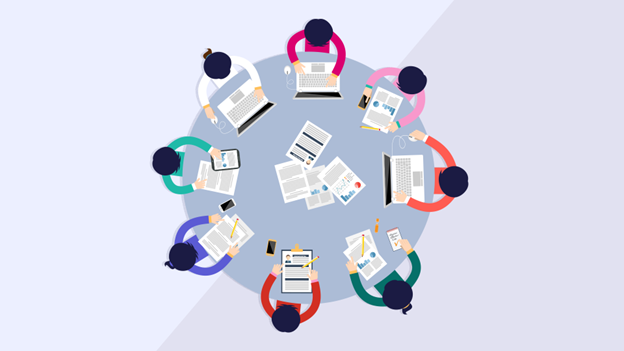
Not only are these guidelines used to define the roles and responsibilities of remote employees, but they also help ensure everyone is held accountable for their work.
Hybrid work policies should be created with specific guidelines for employees to follow. This may include rules and regulations around attendance, communication protocols, remote work expectations, and management guidelines.
Employees should also have an overview of the organization’s security protocols and any remote access or data-sharing restrictions.
Before the actual design phase, it’s necessary to define your business goals and objectives. What do you want to accomplish by transitioning to a hybrid work model? Are you looking to increase productivity, reduce costs, or boost morale?

The answers to these questions should direct the design process and help you determine which features to prioritize. Without a clear understanding of your overall goals, it’s easy to get lost in each segment and lose sight of what you’re trying to achieve.
Once the business objectives are clear, it’s time to start designing the physical workspace.
This includes everything from setting up remote communication platforms and virtual workspaces to creating comfortable common areas for in-person collaboration.
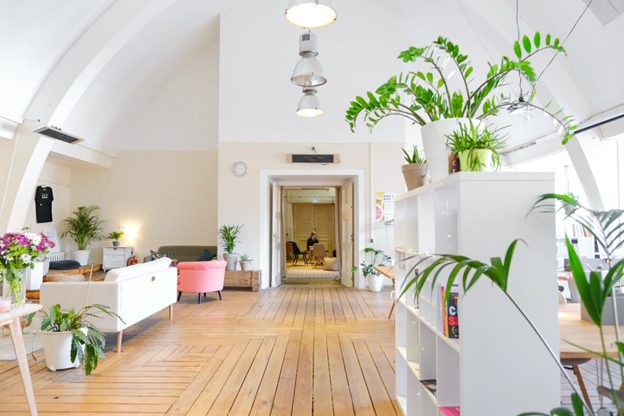
Consider implementing the following design ideas to create a unique and inviting hybrid office space:
These design elements can help balance the needs of all team members, creating a more unified remote workforce. Think about arranging the office the feng shui way, too.
Plus, that will allow you to implement office neighborhoods and activity-based working more easily.
Providing your team with the right tools and resources is crucial when transitioning to a hybrid office. This means investing in the necessary technology to ensure a secure and seamless employee experience.
Some thoughtful additions include the following:
High-quality laptops, tablets, and other devices can also benefit remote employees, as they ensure everyone can stay connected and access critical business information from any location.
Here’s an extensive list of the most used hybrid work tools in 2023.
One challenge with hybrid offices is avoiding overbooking physical workspaces. A desk booking system allows you to manage hot desks and make real-time changes to seating arrangements.
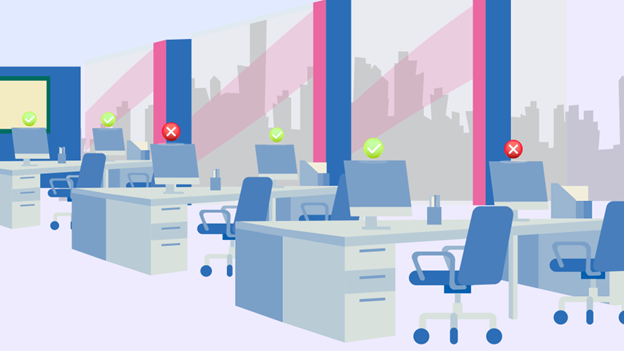
This helps streamline the reservation process and eliminates confusion about who works in a particular space. Additionally, when team members have spaces they can call their own, morale and a sense of belonging are increased.
You can read more about free desk booking software and chek out OfficeRnD Workplace’s desk booking tool. In addition, watch the short video below:
Designing a hybrid office space is an ongoing process. Monitoring a workspace’s efficiency and productivity is essential, as it ensures that adjustments can be made as needed. Assess feedback from your team, track performance metrics, and remain open to new ideas.
This will help you ensure the hybrid office is working for everyone and optimized for success.
Hybrid attendance is not spread evenly across the week. Most teams cluster on the same two or three days, usually Tuesday through Thursday, and thin out on Mondays and Fridays. That gap is now the main design problem in a hybrid office.
The data backs it up. Office utilization reached 53% in 2025, up from 38% in 2024, but that average hides the swing between quiet days and packed peak days (CBRE). Design for the average and your busiest days run out of desks and rooms. Design for the peak and most of the floor sits empty on Monday.
A few practical moves help:
OfficeRnD Workplace is desk and room booking software for hybrid teams: employees reserve a desk or meeting room from their phone or laptop, and managers see who is coming in and how each space gets used.
With technological advancements changing how businesses operate, many organizations are now turning to hybrid offices to foster collaboration, reduce costs, and provide employees with the flexibility to work remotely.

Designing an office people actually want to use matters more than a mandate. The top reason employees come in is to collaborate with colleagues, cited by 68% of people in 2025 (CBRE). An office built around that, with enough rooms and space to work together, gives people a real reason to show up.
Here, you can read more about the office space of the future.
Hybrid offices are the future of business operations, as they provide a wide range of benefits for both employers and employees. Designing these spaces requires carefully considering the tools and resources to foster collaboration and increase efficiency.
Investing in the right technology, such as desk booking software, is essential to creating a successful hybrid office.
OfficeRnD Workplace is designed to help organizations manage their hybrid office spaces and provide the tools and resources they need for success.
Get started for free with OfficeRnD Workplace to see the powerful, flexible solutions this software can give your organization.
A hybrid office is a workplace built for teams that split their week between the office and home. It combines flexible desks, bookable meeting rooms, and scheduling tools so the space works for both in-office and remote employees on any given day.
Size the office for your peak-day attendance, not your headcount. Because most hybrid teams come in on the same mid-week days, plan around those busy days rather than an all-in day that rarely happens. Track attendance for a few weeks, find your typical peak, then set a desk-sharing ratio from there. Many hybrid teams provide fewer desks than employees and manage the rest through booking software.
Hybrid office culture is a working environment that combines in-office and remote work. It allows hybrid team members to choose their preferred workspace while also providing opportunities for collaboration and connection. Hybrid company culture aims to create a unified and productive work atmosphere for both in-person and remote workers.
Hybrid offices typically combine traditional office furniture, such as desks, chairs, and filing cabinets. They also incorporate other elements to make the environment inviting, such as plants, kitchens, and communal areas. Furthermore, these spaces are equipped with the necessary technology to enable remote working, such as secure Wi-Fi networks, VoIP phones, and video conferencing systems.
Hybrid work is different from remote work. In a hybrid workplace, some employees are in a physical office, while others can access and complete their work remotely. Remote work, however, allows employees to work from anywhere they have an internet connection.
The structure of a hybrid workplace can vary depending on the needs of the company and its employees
A hybrid working environment can be a flexible work structure where some employees work remotely and other team members work from a central location or office.
It is important to consider employee feedback, industry type, and company vision when choosing the right model for the hybrid workplace.
Start with how your team actually works. Look at which tasks need people in the same room and which can be done from anywhere, then design around that. Common approaches: set shared in-office days for collaboration, give teams a say in their own schedule, and drop old processes that only made sense in a full-time office. Gallup finds hybrid works best when teams, not just individuals, agree on the schedule (Gallup).



![The Hybrid Work Trends That Will Shape 2027 [Webinar]](https://www.officernd.com/wp-content/uploads/2026/11/The-Hybrid-Work-Trends-2027-1-336x150.png)

Eager to learn the real flex and coworking space trends for 2027 without the hype? Read on.
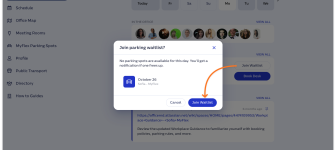
Book a desk and parking spot in one flow, and join a waitlist when the car park is full.

Compare 6 Skedda alternatives on price, IT fit and G2 reviews.
![14 Best Space Management Software Tested and Compared [2026]](https://www.officernd.com/wp-content/uploads/2022/07/Manage-Shared-Seating.png)
The best space management software in 2026 is OfficeRnD Workplace. This is a complete buyer's guide.

The average flex operator connects 1.65 of 5 core systems. See what the gap costs and how to fix it.